A Git translator for data analysts
How to understand the CI/CD flow with Power BI and Fabric (without losing your mind)
Hi there, data analyst! Does your “Power BI Reports” folder look like a scene from a Marx Brothers film, with versions like Report_Final_REALLYFINAL_THIS_ONE_V3.pbix? Do you get a chill every time you have to merge changes into a shared model, dreading the infamous “you overwrote my work”? If you nodded (and maybe broke into a little cold sweat), get ready! You’re about to discover the secret weapon that will turn your file chaos into a symphony of collaboration: Git.

Forget the idea that Git is only for programmers with long beards and T-shirts of bands you’ve never heard of. In the era of Microsoft Fabric, where data projects are a team sport (and what teams are being built!), Git is your best ally. This guide isn’t a boring technical manual; it’s your personal translator, your passport to mastering Git without going crazy and to making your projects shine brighter than a freshly polished Dragon Ball. Let’s turn those “commits” into your new superpower!
1. git clone

👩🦱 “Girl, your Power BI project is amazing. Can I improve it?”
👩🦰 “Of course! Clone the repo and take it to your local environment.”
📌 Translation: You download a copy of the project from GitHub.
✅ Advantage: You have the same version of the project as the rest of the team. No more “can you send me the latest .pbix on Teams, I missed the daily”.
❌ Disaster avoided: The classic “But this worked yesterday!” after opening an outdated file and making a mess.
2. Create a new branch
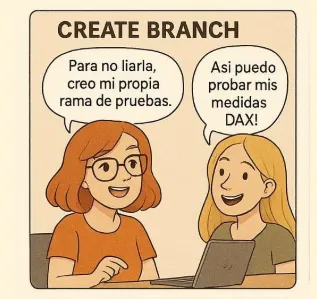
Think of a branch as a “What if…?” in your report. Want to try that crazy new visual or a DAX measure that could change everything? Do it in a branch. If it works, great! If it’s a disaster, you just delete it and your main report carries on as if nothing happened. Magic!
👩🦱 “I don’t want to break your masterpiece, so I’ll create a branch to play around.”
👩🦰 “Every change in its own patch, as it should be.”
📌 Translation: You create a parallel copy of the project to work on your changes.
💡 Name your branches well: feat/margin-measure, fix/report-filter.
✅ Advantage: You can experiment without fear. Nothing you do affects the main version until it’s reviewed and approved.
❌ Disaster EPICALLY avoided: Breaking the production model at 17:55. Or your boss asking you: “where’s the KPI that disappeared?”

3.✍️ Changes in the repository
👩🦱 “I’ve added a DAX measure and now the margin shows by month.”
👩🦰 “That’s commit material.”
📌 Translation: You edit whatever you need to change.
💡 Split big changes into several small ones. They’re easier to review and revert.
✅ Advantage: You can test hypotheses and improvements without ruining what already works.
❌ Disaster avoided: Touching several things without knowing what broke what. Or worse: it works “by chance” and you don’t know how to reproduce it. Who hasn’t been there?
4. 🔄 git pull

👩🦰 “Before merging, update. I renamed some columns.”
👩🦱 “Good idea, I don’t want conflicts… Git ones are the really scary kind!”
📌 Translation: You download the latest changes from the main branch before you keep working or propose your integration.
💡 Do it before starting something big, before an important push, and ALWAYS before thinking about a Pull Request. Your future self will thank you!
✅ Advantage: You avoid mixing old versions with new ones, which keeps the project history tidy and makes reviews easier.
❌ Disaster avoided: Git conflicts. And although conflicts aren’t always bad (some lead to improvements, therapy or new metrics), in Git they’re usually a drama.
💥 What is a Git conflict?
It happens when two people change the same part of the code (or model, measure, column…) and Git doesn’t know which version to keep. For example:
You renamed the TotalVentas measure to VentasTotales and your teammate renamed it to VentasGlobales. Git says: “could you clarify what you want to do?”
🎯 The best way to prevent them: frequent pulls, small branches and good communication (and good coffee).
5. 💾 git add . + git commit -m “feat: add cumulativeMargin measure”

A commit is like pinning your work to a giant corkboard with a date and time. “Here I added the year filter”, “Here I optimized the sales measure”. If something goes wrong, you know exactly which pin to go back to.
👩🦱 “I’m saving what I did, with full names and surnames.”
👩🦰 “So nobody can say later they don’t know what we changed.”
📌 Translation: You record your changes locally with a description.
💡 Make frequent, descriptive commits. That way you can go back without drama.
✅ Advantage: A clear, traceable and reversible history. If something fails, you can pinpoint it in seconds.
❌ Disaster avoided: Losing hours looking for which measure changed the dashboard result. Or thinking “Power BI broke all by itself”.
6. 🚀 git push
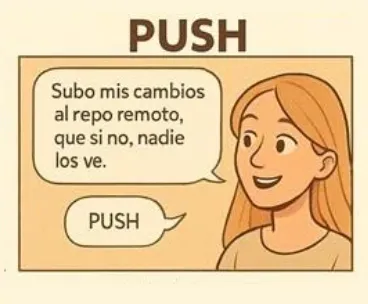
👩🦱 “I’m pushing my changes to GitHub.”
👩🦰 “Now we can review them!”
📌 Translation: You send your branch to GitHub/Azure DevOps to share your work.
💡 Never push directly to main. Use protected branches if you lead the project; a few weeks ago I wrote about how to protect your branches.
✅ Advantage: It makes collaborative work easier. The team can see and comment on what you’re doing without waiting for the final deliverable.
❌ Disaster avoided: Someone else editing the same model as you at the same time without knowing it. Boom. Conflict.
And so you don’t forget it, here’s a little Macarena-style dance:

7. 📬 Pull Request (PR)
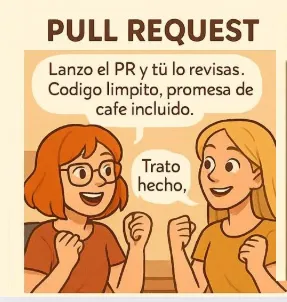
👩🦱 “I’m sending a PR with my changes.”
👩🦰 “That way we review them before merging.”
📌 Translation: You request that your changes be brought into the main branch.
💡 Attach screenshots or a demo of your changes to the PR.
✅ Advantage: It allows cross-review, comments, suggestions… and doesn’t break anything until it’s approved.
❌ Disaster avoided: Pushing an unvalidated change that leaves the Board report without data right before the monthly committee.
8. 🧩 Merge
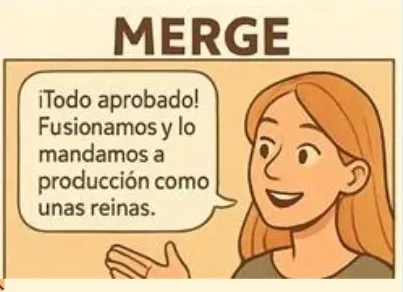
👩🦰 “All approved, let’s merge.”
👩🦱 “Deployment ready.”
📌 Translation: Your changes are integrated into the main branch and can be deployed automatically.
💡 Automate post-merge deployment with GitHub Actions and Microsoft Fabric.
✅ Advantage: Full control over what goes to production and when. You can trigger deployments to different workspaces with a simple merge.
❌ Disaster avoided: Pushing a model with no review, no testing and no backup. A.k.a. the road to tears.
🔁 BONUS: git status, git diff, git log
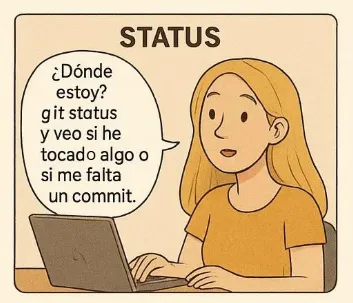
👩🦱 “What have I changed and what’s left to save?”
👩🦰 “Check the status. The diff if you want to see it line by line.”
📌 Translation:
git status: your Git conscience. It tells you what you’ve changed and whether you forgot to save something. Listen to it!git diff: Git’s detective magnifying glass. It shows you exactly which lines you added or deleted. No change escapes it!git log: your project’s time machine. Want to see who did what and when?git logis your very own DeLorean.
💡 If you get lost, git log --oneline --graph --all is your visual compass.
✅ Advantage: Full traceability of your work. Never again “I don’t know what I did yesterday, but it worked”.
❌ Disaster avoided: Not being able to explain what changed, how or why.
🧱 And why does all this matter more than ever?
With Fabric, you’re no longer a lone wolf with your .pbix. Now you’re part of a data pack (or of Fabric’s Power Rangers, whichever you prefer!). And for the pack to hunt together without stepping on each other, Git is the universal language:
- There are pipelines,
- There are notebooks,
- There are shared artifacts,
- And above all… there are more people.
Now data engineers, analysts, solution architects and even business profiles who want their DAX measures properly versioned all work together.
This isn’t a personal report anymore. It’s software.
🧠 That’s why a solid CI/CD strategy isn’t a dev fad; it’s a must to survive (and thrive) in real Fabric projects.
💥 Spoiler: the alternative is chaos, and not the fun kind.
Found it useful? Clap, no account needed. You can clap more than once.
Comments